Summary
Do you looking for the best Netflix video downloaders to download Netflix movies/shows to watch offline? You've come to the right place! In this review article, we're going to reveal 17 top-notch Netflix video downloaders for you, including desktop software, mobile app and online tool, you can easily to download Netflix videos to computer or mobile for offline viewing or back up. Let's view its features, price, pros and cons.
With a Netflix subscription account, you can access a wide variety of movies, original TV shows, anime, documentaries, and more at will. Sometimes, you may run into some playback errors that occurred due to unstable network or bad signal while streaming Netflix movies online. Even though Netflix paid users can download movies and shows for offline viewing, there are restrictions in Netflix's DRM limitation and downloading limitation. The downloaded Netflix .NFV video files only allowed playback in the Netflix app, once the subscription expires, all downloaded content becomes unplayable. In addition, Netflix hasn't offers Netflix app for Mac, users only able to watch Netflix videos online via browser on Mac. Netflix has removed the download feature from its Netflix Windows 10/11 app in 2024, and there is no official Netflix app for Mac, so even Netflix subscribers are unable to download Netflix movies and TV shows on computer, subscribers can only download Netflix vidoes on mobile phones and tablets by using the Netflix app.
There are many Netflix video downloaders on the market, you may find it difficult to get the best one that really suport to download movies from Netflix, no matter what they called (Netflix downloader, Netflix video downloader, Netflix to MP4 downloader, Netflix video converter, Netflix movie downloader, or even Netflix recorder, etc), they aim to record, convert and download download Netflix videos to MP4, so that you are able to watch movies and TV shows offline without the Netflix app.
17 Best Netflix Video Downloaders for Windows, Mac, Mobile & Online Review
Here we have listed 17 best Netflix video downloaders, which can help download your favorite Netflix TV shows and movies for watching anytime, anywhere, you can batch download Netflix videos on Windows and Mac computer without hassle. Let's dig in and find the perfect tool for you!
Why Do You Need a Third-party Need Netflix Downloader for Help?
Streaming video service is the most convenient way to watch your favorite videos on the go. There are many fantastic video streaming services to choose from, Netflix is the leading streaming service which gives you access to a rich of movies, TV shows, original programs and documents for a monthly subscription fee. It offers three subscription plans: Netflix Basic ($9.99/month), Netflix Standard ($15.49/month), and Netflix Premium ($19.99/month). With a paid Netflix subscription, you can stream Netflix titles in HD video quality, and download the videos for offline viewing.
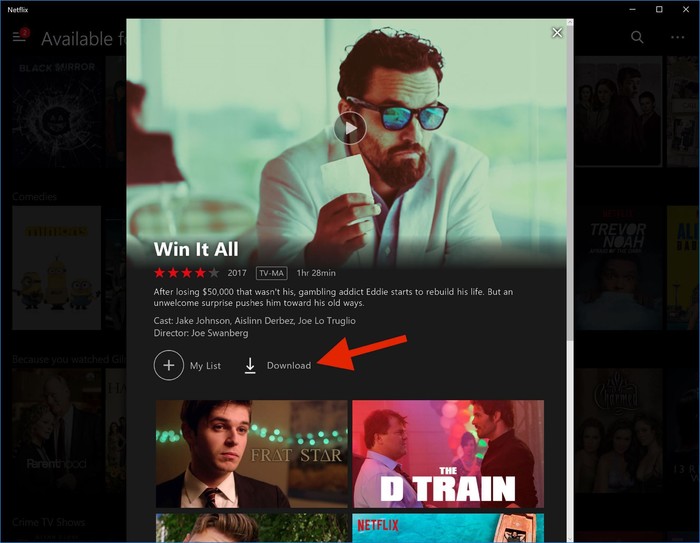
How to Download Netflix Videos to Watch Offline via Netflix App
Step 1. Open the Netflix app on your iOS & Andorid device, Windows 10/11 or Fire tablet, and sign with your membership account.
Step 2. You can go to "Available for Download" section to find your desired movie or TV show.
Step 3. Select and play the Netflix video you like, and hit on the "Download" button.
Step 4. Once downloaded, you can check the videos in "My Downloads" section.
However, Netflix has download limits. Not all titles are available for download, and the offline feature might still seem inadequate for users. All these problems above can be readily solved by using a third-party Netflix Video Downloader. Here's why:
Ⅰ. Limited Devices
Note that, Netflix only allows to download Netflix videos on Android, iOS, Windows app or Fire tablet. You are unable to download Netflix movies on Mac computers even if you've a Premium subscription. It is impossible to watch Netflix downloads outside the Netflix app.
Ⅱ. Short Expiration
The downloaded titles on Netflix have a deadline. Most Netflix Downloads will automatically expire in 7 days. Some may only last for 48 hours after your first play. When you cancel your subscription, you will lose access to your Netflix downloads.
Ⅲ. Region-specific Content
Usually, Netflix region restrictions. It offers different shows and movies limited in each country. If you live in America, you are not allowed to watch or download videos that are only available in Canada, Korea, or other countries.
What Makes the Best Netflix Video Downloader?
To break these barriers, a professional Netflix Video downloader is necessary. To find the best Netflix video downloader, you need to know what features and functionality do the best Netflix video downloaders need to have. In this post, we will introduce you the 10 best Netflix to MP4 downloaders, and make comparison of them from various aspects. As an excellent Netflix video downloader, it needs to has the following basic criteria.
Excellent video download quality
Multiple output video formats
Support save Netflix TV shows and movies to MP4 or MKV
Fast download speed
Multiple language subtitles and audio language options available
Easy to use, evey one can use it
Smoothly downloading process and the software does not crash
Multilingual interface for users from different countries and regions
Now let's explore which Netflix video downloaders meet these criteria! After we testing may times, here we will show you the top 17 best Netflix video to MP4 downloaders. We'll dive into each one and compare their pros and cons. Please scroll down to see what they are and get the best Netflix downloader to save your favorite Netflix movies and shows.
Top 1. iMovieTool Netflix Video Downloader (Most Recommended)
The best, all-respect Netflix video downloader that can download videos from Netflix web player at a high speed; Can download movies and TV shows from Netflix and as them as MP4 format; Can output Netflix videos to MP4/MKV in HD with a 1080p resolution; and preserve original subtitle and audio track langauges.
iMovieTool Netflix Video Downloader is the best Netflix downloader for Windows and Mac, it offer powerful features like high-quality downloads (up to 1080p and even 4k quality), preservation of audio tracks, audio tracks in multiple language, subtitle language in multilingual, three types of subtitle options, and support for multiple streaming services. With iMovieTool, you can batch download Netflix movies and TV shows to computer, and save Netflix videos as 1080p HD MP4/MKV files.
iMovieTool Netflix Video Downloader is the best Netflix to MP4 downloader, which stands out from most other competitors with its high quality and great performance. When the iMovieTool Netflix Video Downloader launched in 14 May 2023, this super-accessible design program surged in popularity. The app reached 10,000 downloads within 90 days and crossed over 80,000 users in 6 months. To give a hand to you to know more about iMovieTool Netflix Video Downloader, the following provides a comprehensive and detailed review of iMovieTool from features, prices, use guide, etc:With the integrated Netflix web player, simply sign in your Netflix account on the program, enter the keyword or paste the video link to search box, the program will quickly recognize and list the videos for your downloading. Apart from this, it provides you with different video quality options, from low (SD), middle (720p) to high (HD 1080p).
iMovieTool Netflix Video Downloader can easily download Netflix videos to computer and save them as 1080P MP4/MKV files. It also gives you many advanced features, such as downloading Netflix videos with audio tracks remained, keeping subtitles in three types, changing the video codec between H264 and H265, and more. Plus, it can run at up to 50X fast speed, and lets you batch download unlimited videos from Netflix.
Free download iMovieTool Netflix Video Downloader and try to download Netflix movies/shows to your computer for viewing offline.
Save Netflix movies and TV shows as 1080P MP4/MKV files.
Download video contents from Netflix and save the downloads permanently.
Supports soft subtitles, hard subtitles, external subtitles, forced subtitles, and audio description.
Save Netflix videos with HDR10 and Dolby Vision, and supports Atmos, EAC3 5.1, or AAC 2.0 audio quality.
🙆Pros:
Convert Netflix video to MP4 or MKV format in 1080P/4k.
Download Netflix videos to Windows/Mac computer.
Preserve 5.1 surround sound and subtitles.
Save Netflix videos in different audio languages.
Built-in Netflix web player, no Netflix app needed.
Search video by using keywords and the video's URL.
Save Netflix videos in HD video quality (up to 1080P).
Download Netflix videos at 50X faster speed, support batch downloading.
Keep Netflix downloads forever without subscription.
🙅Cons:
The free trial version only allows to download the first 6 minutes of each Netflix title.
Only supports to download Netflix videos.
Requires a Netflix subscription account.
🧐Review: A feature-rich professional Netflix video downloader. 💰Price: Starts at US$15.95/month 🖥️Supported OS: Windows 11/10/8.1/8/7 丨 macOS X 10.11 and above ✨Rating: ⭐⭐⭐⭐⭐
Top 2. iMovieTool All-in-One Video Downloader
The second recommendation in this Best Netflix Video Downloader Review refers to the iMovieTool Video Downloader, which is an all-in-one video downloader for pupular streaming sites including Netflix, Amazon Prime, Hulu, Max, Disney+, Apple TV+, Paramount Plus, YouTube, TikTok, X/Twitter, Facebook and Instagram. The program has integrated with the official web browsers, allowing you to access and search for any video without the Official streaming app!
Using it, users can download unlimited videos from Netflix and save them as MP4 or MKV files without DRM restrictions. Moreover, this tool can remain the original video quality (up to 1080p) and 5.1 surround sound. This makes it easy to build a home theater and enjoy your favorite Netflix videos offline!
Real user reviews and experiences of the iMovieTool Video Downloader:
🙆Pros:
Easy to use, with built-in web browsers.
Download any streaming video from 12 sites.
Output Netflix video downloads in up to 1080p.
Offer 50X faster speed to improve efficiency.
Preserve multi-language subtitles and audio tracks.
🙅Cons:
Unable to download Netflix 4K videos.
The free trial only lets you download the first 6 minutes of each video.
🧐Review: A comprehensive streaming video downloader with powerful download functions. 💰Price: Starts at US$49.95/month for 1 device 🖥️Supported OS: Windows 11/10/8.1/8/7 丨 Max OS X 10.11 or above ✨Rating: ⭐⭐⭐⭐⭐
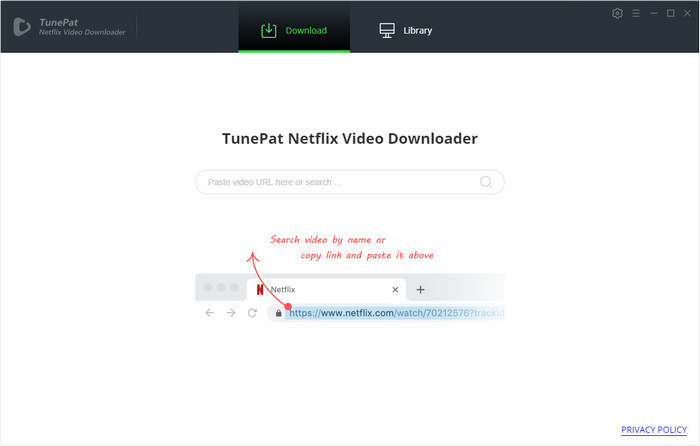
Top 3. TunePat Netflix Video Downloader
TunePat Netflix Video Downloader is another Netflix downloader that can help download anything from Netflix, including TV series, movies, documentaries, etc. It enables Netflix Premium subscribers to download videos to MP4/MKV in HD quality with sounds and subtitles. Another attractive function is that it allows to select different language and subtitles for Netflix downloads. But it runs a bit slower than iMovieTool Netflix Video Downloader.
🙆Pros:
Built-in Netflix website.
Offers MP4 and MKV formats.
Support multiple languages.
Batch download is supported.
Keep audio tracks and subtitles.
🙅Cons:
Only can download Netflix contents.
Only works for Netflix Premium subscribers.
Slower than iMovieTool Netflix Video Downloader.
Only offers annual or lifetime plan.
🧐Review: A handy Netflix video downloader with basic features. 💰Price: Starts at US$49.95/year for 1 device 🖥️Supported OS: Windows 11/10/8.1/8/7 丨 macOS 10.15 to macOS 14 ✨Rating: ⭐⭐⭐⭐
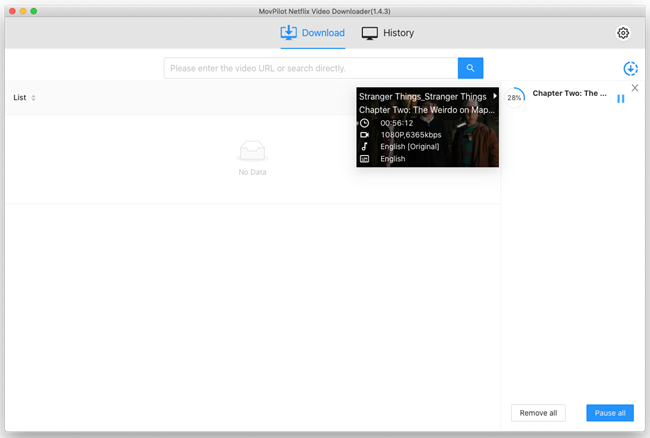
Top 4. MovPilot Netflix Video Downloader
MovPilot Netflix Video Downloader enables you to store HD Netflix movies and TV shows in widely used MP4/MKV format at fast. In addition, you can search for videos using name or URL and start downloading multiple Netflix videos at the same time. However, unlike iMovieTool Netflix Video Downloaders which supports unlimited downloads, MovPilot only lets you download up to 20 videos per day. For those who want to download an entire episode or season of Netflix, not recommend.
🙆Pros:
User-friendly and easy to use.
No need to install the Netflix app.
Save Netflix videos to MP4 or MKV files.
Download an entire season with one click.
Offers three subtitles encoding modes.
🙅Cons:
Ask for your Netflix credentials.
Can't retain the 5.1 Dolby Digital.
Download a maximum of 20 videos for each day.
Comparatively slower downloading speed than iMovieTool.
🧐Review: A powerful Netflix video downloader. 💰Price: Starts at US$15.95/month 🖥️Supported OS: Windows 11/10/8.1/8/7 丨 macOS X 10.11 and above ✨Rating: ⭐⭐⭐⭐
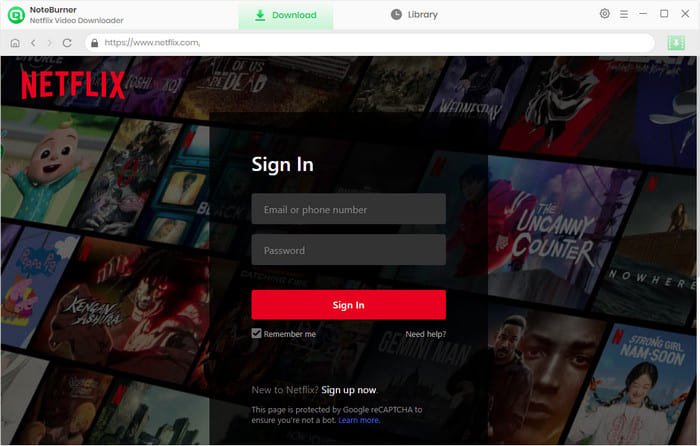
Top 5. NoteBurner Netflix Video Downloader
NoteBurner Netflix Video Downloader is of the best Netflix video downloaders for both Windows and Mac computers. With it, you can easily download movies and TV shows from Netflix and save them as MP4 or MKV files. After which, you can freely transfer Netlix videos to any device, such as iPhone, Android, PSP, Xbox, USB drive, so you can enjoy your favorite Netflix shows and shows offline anytime, anywhere.
In addition, NoteBurner also comes with a convenient browser built-in, but unlike iMovieTool Netflix Video Downloader, it can only be used for video search and download services, not for direct streaming and playing. For another, NoteBurner only offers basic setting options, not as smart as iMovieTool.
🙆Pros:
Save Netflix movies as MP4/MKV files.
Support batch downloading videos from Netflix.
Integrate built-in browser easy search and download.
Offers multiple language for audio and subtitles.
🙅Cons:
Paid software, limited free trial.
Only offers basic setting options.
Slow speed when perform multiple downloads.
No support for playing Netflix videos within the app.
🧐Review: An easy-to-use downloader for users to batch download Netflix videos to MP4/MKV. 💰Price: Starts at US$89.90/year for 1 device 🖥️Supported OS: Windows & Max ✨Rating: ⭐⭐⭐⭐
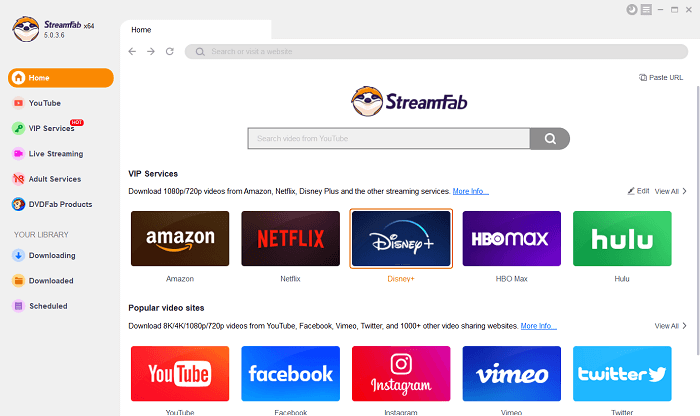
Top 6. StreamFab Netflix Downloader
StreamFab Netflix Downloader is a comprehensive video downloader designed for downloading videos from popular websites, including Netflix, Amazon Prime Video, Hulu, etc. You can save all kinds of videos in MP4 or MKV format. The highest video resolution can reach HD 1080p. Besides, audio tracks and subtitles will be retained after downloading. The biggest highlight for this program is that you can set a time to download newly launched Netflix TV shows for watching.
🙆Pros:
Download videos from many streaming sites.
Save Netflix videos in 720p or 1080 resolution.
Keep all audio tracks and subtitles.
Auto-download newly released episodes.
Allows to save subtitles in SRT format for editing.
🙅Cons:
Need to log in with your Netflix credentials.
It will take some time to activate the software.
The user interface is filled with many unnecessary elements.
More expensive fee than other brands.
🧐Review: A comprehensive video downloader for Mac & Windows. 💰Price: Starts at US$39.99/month 🖥️Supported OS: Windows 11/10/8.1/8/7 丨 macOS 10.10 and above ✨Rating: ⭐⭐⭐⭐
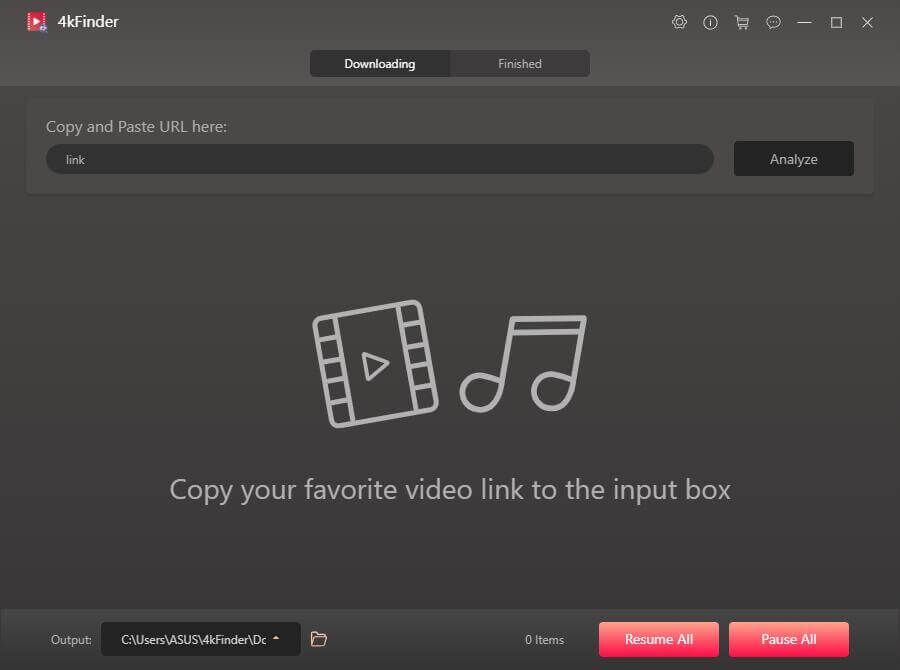
Top 7. 4kFinder Video Downloader - Online Video Downloader
If you are still looking for a video downloader not only for Netflix but also for other streaming platforms, then 4kFinder Video Downloader is a must-try. It is a multifunctional dowloader, designed to download videos from popular video sharing webistes, including Netflix, YouTube, Vevo, Dailymotion, Vimeo, Facebook, Soundcloud, Niconico, Bilibili, etc.
It provides different resolutions for video download, including, SD, HD, 2K, 4K and even 8K. With it, users can download Netflix movies and shows to MP4 format in HD 720p or 1080p. In addition, it also supports to download and extract MP3 audio from online videos at 320kbps high bitrate.
Can't keep multi-language subtitles and audio track.
🧐Review: A one-stop video & audio downloader for popular streaming platforms. 💰Price: US$14.95/month for 1 device, $49.95/year for 1 device, $69.95/lifetime for 3 devices 🖥️Supported OS: Windows OS, macOS ✨Rating: ⭐⭐⭐⭐
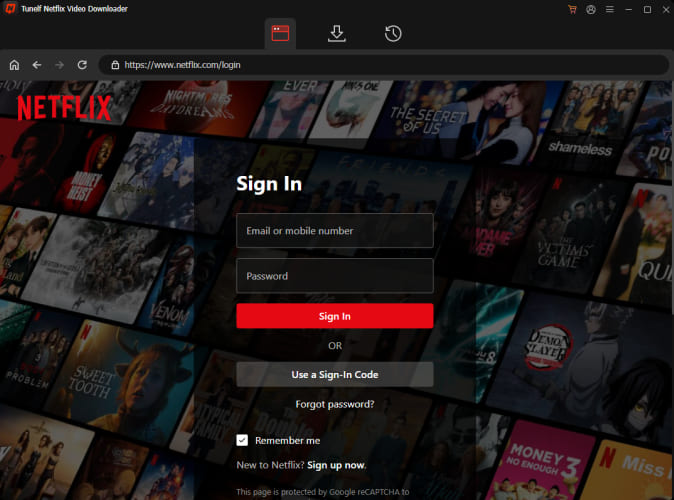
Top 8. Tunelf Netflix Video Downloader
Similar to iMovieTool, Tunelf Netflix Video Downloader is another recommended video downloader for Netflix users. It also features a smart search function that allows you to search for the Netflix video using name or URL. This best Netflix video downloader also supports to download and save Netflix videos as MP4 or MKV files while keeping the original quality. Whether you want to download Netflix movies, TV episodes or documentaries, this tool enables you to grab your wanted Netflix content at your convenience.
However, its dark interface can be a challenge for users with visual impairments or color blindness. Sometimes the video seems to run slightly slower than the audio, probably due to a frame rate issue. For a better experience, the stable and professional iMovieTool Netflix Video Downloader is your best choice.
🙆Pros:
Download most videos from Netflix.
Up to 5X download speed.
Saves Netflix videos as normal MP4 or MKV.
Keep original multilingual audio tracks.
Download Netflix videos in HD quality.
🙅Cons:
Limited language options.
No simultaneous downloads.
Only works for Netflix ad-free users.
🧐Review: A convenient video downloader for Netflix users. 💰Price: Starts at US$19.95/month 🖥️Supported OS: Windows 11, 10, 8.1, 8, 7, XP, and Vista 丨 Mac OS X 10.8, 10.11, 10.12, and later ✨Rating: ⭐⭐⭐⭐
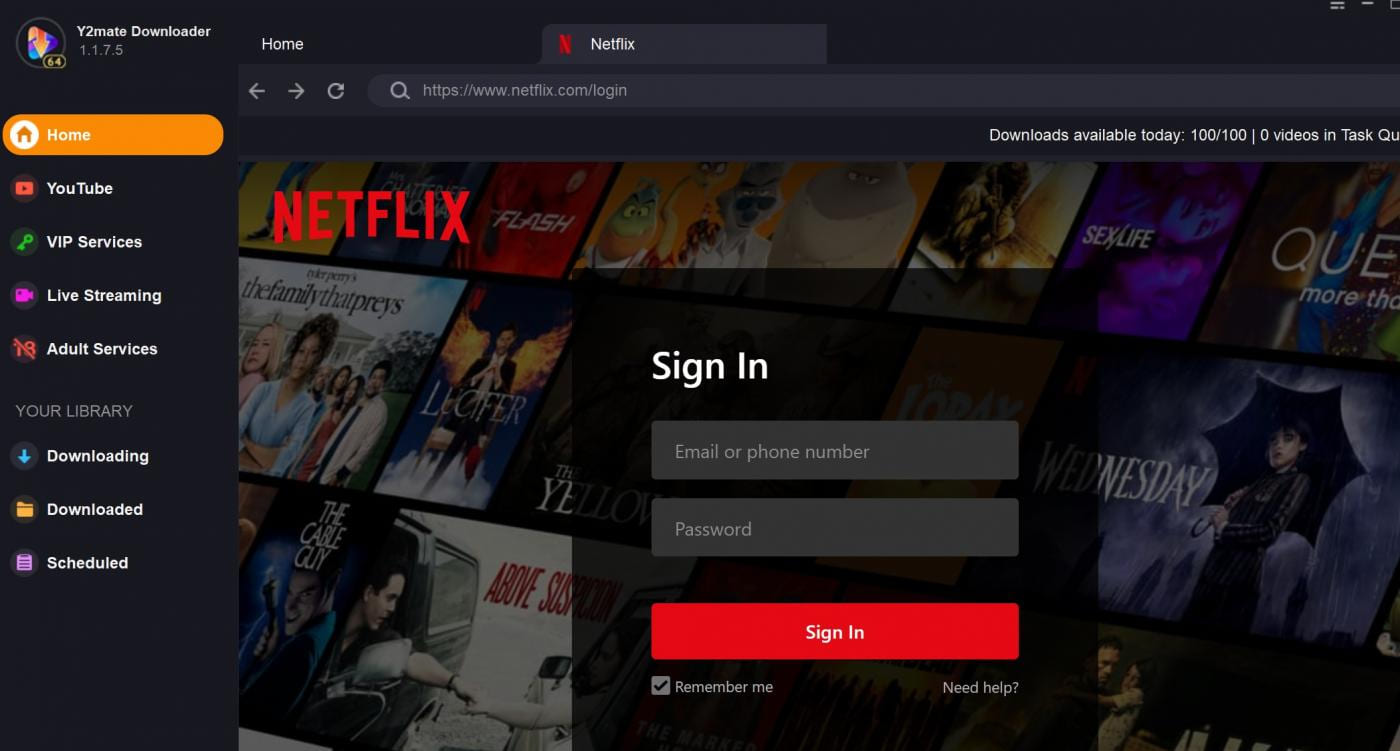
Top 9. Y2Mate Netflix Video Downloader
Just like StreamFab, Y2Mate Netflix Video Downloader is also a versatile video downloader that supports downloading videos from Netflix and other streaming on-demand services. The program is able to download multiple videos to MP4 HD together in one click. Before downloading, users can select audio tracks and subtitles in desired language. But it need to work with Netflix Premium/Standard account.
🙆Pros:
Supports many video platforms.
Batch download is supported.
Preserve audio tracks and subtitles.
Download Netflix movies and shows in 1080p.
🙅Cons:
Need to log in with your Netflix Premium/Standard account.
Too many unnecessary elements on the home pages.
The downloading is not as smooth as other tools.
Take longer to batch download and entire of episodes.
🧐Review: A versatile video downloader for Mac & Windows. 💰Price: Starts at US$25.9/month 🖥️Supported OS: Windows 11/10/8.1/8/7 (32/64 bit)丨macOS 10.10 - 14 ✨Rating: ⭐⭐⭐
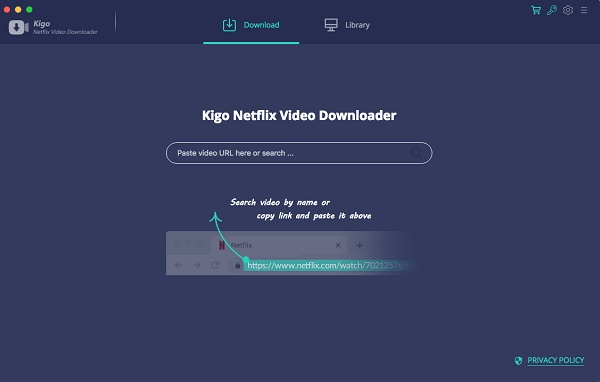
Top 10. Kigo Netflix Video Downloader
Kigo Netflix Video Downloader also delivers convenient Netflix video download functionality to help you save your favorite movies, TV shows, or anime for offline viewing. It is able to download Netflix videos to HD MP4/MKV with selectable languages and audios. Similary to iMovieTool Netflix Video Downloader, the Kigo also comes with a smart function to let you search for any Netflix video titles directly. You can add multiple movies or TV episodes for batch download. But it works a little slower than the iMovieTool software.
🙆Pros:
Up to 1080p high resolution.
Offers MP4 and MKV format.
Support batch download.
Preserve audio description and 5.1 sound.
Keep audio tracks and subtitles in different languages.
🙅Cons:
Requires to work with Netflix Premium account.
Cost more expensive to buy the lifetime license.
According to reports from some users, it sometimes gets stuck.
🧐Review: A smart Netflix downloader for Mac & Windows users. 💰Price: Starts at US$16.95/month for 1 device 🖥️Supported OS: Windows OS, macOS ✨Rating: ⭐⭐⭐
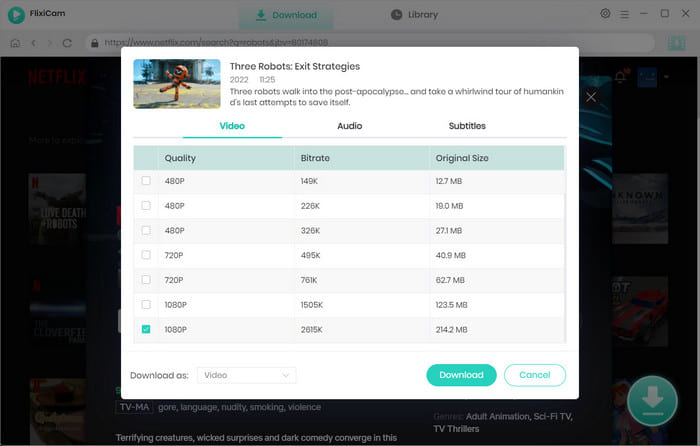
Top 11. FlixiCam Netflix Video Downloader
FlixiCam Netflix Video Downloader is a desktop software designed to help users download movies, TV shows, and documentaries from Netflix for offline viewing. It can bypass Netflix's DRM encryption, allowing users to downloading as many as high-quality Netflix videos they want while preserving subtitles and audio tracks. The tool supports batch downloading and offers a user-friendly interface compatible with Windows and macOS.
Compared to the above Netflix video downloader tools, FlixiCam doesn't offer a free version. You need to purchase the paid version to unlock the download functions. And its higher price, unstable performance and network dependency also make it rated lower than the above products overall.
🙆Pros:
Simple navigation with a built-in Netflix browser.
Saves subtitles and multiple audio tracks.
Output Netflix video in 720p and 1080p resolution.
Allows to customize output download settings.
🙅Cons:
Not free trial version, requires to purchase it.
Unstable when downloading multiple videos.
Sometimes it failed to download some Netflix titles.
🧐Review: An awesome Netflix video downloader on Windows/Mac. 💰Price: Starts at US$49.95/year 🖥️Supported OS: Windows 11/10/8/7 | macOS 10.15 – 14 ✨Rating: ⭐⭐⭐
Top 12. UkeySoft Screen Recorder - Netflix Recorder
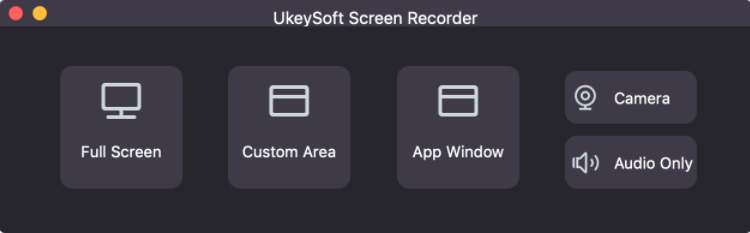
If you need a Netflix recorder and video editor together, you can turn to UkeySoft Screen Recorder. This program is able to video capture everything on computer screen. It can be used as a Netflix recorder to help users record Netflix movies, shows, documentaries, etc. as MP4, MOV, M4V, FLV and AVI formats on Mac and PC in HD quality without lag. After recording, users can freely cut, merge, edit the recorded Netflix video with its built-in video editor (on PC). Unlike traditional Netflix video downloaders, this flexible Netflix recorder allows you to record one part of or full videos on Netflix, Amazon Prime Video, Disney+, Hulu, YouTube, etc.
All-in-one video recorder, audio recorder and video editor.
Record Netflix movies to MP4 with HD quality.
Record popular streaming music to MP3 on Mac.
Supports multiple audio and video formats.
Record app only, take snapshots, camera, customized area, etc.
🙅Cons:
Slow, 1:1 speed.
No 4K support.
Video editor only works on PC version.
You need to play the whole video to record, which means you can't use other functions on the desktop.
🧐Review: An all-in-one recorder & editor for desktop. 💰Price: $14.95/year for 1 device, $59.95/lifetime for 1 device, $99.95/lifetime for 3 devices 🖥️Supported OS: Windows OS, macOS ✨Rating: ⭐⭐⭐
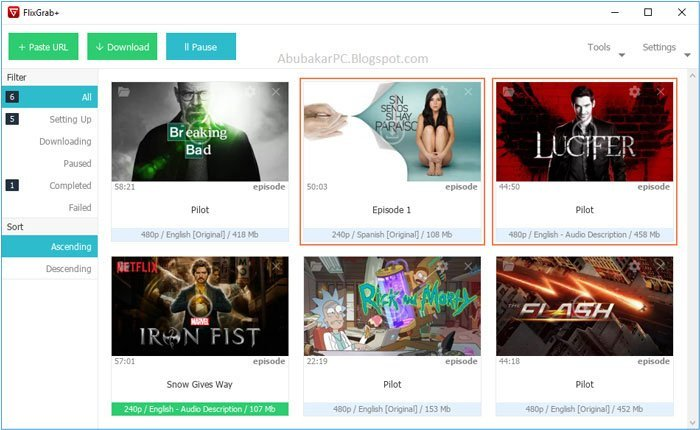
Top 13. FlixGrab+ Netflix Video Downloader
FlixGrab+ Netflix Video Downloader offers an easy way to download movies and shows from Netflix on Windows PC. Without using the Netflix app, you just need to copy and paste a video link from Netflix website to the program and select output quality, then start downloading. With this tool, users can get a maximum of HD (1080p / 720p) video from Netflix, and all the downloads will be stored in local drive.
🙆Pros:
SD/HD quality selectable.
Download audio and subtitles.
Save Netflix videos to local drive.
Batch download Netflix contents.
🙅Cons:
No Mac version.
Lack of supports for new formats.
Only supports downloading Netflix videos.
Only search videos by URL.
🧐Review: A downloader helps Netflix Premium users download Netflix videos. 💰Price: Start at US$12.99/month for 1 device 🖥️Supported OS: Windows 10/8/7 only ✨Rating: ⭐⭐⭐
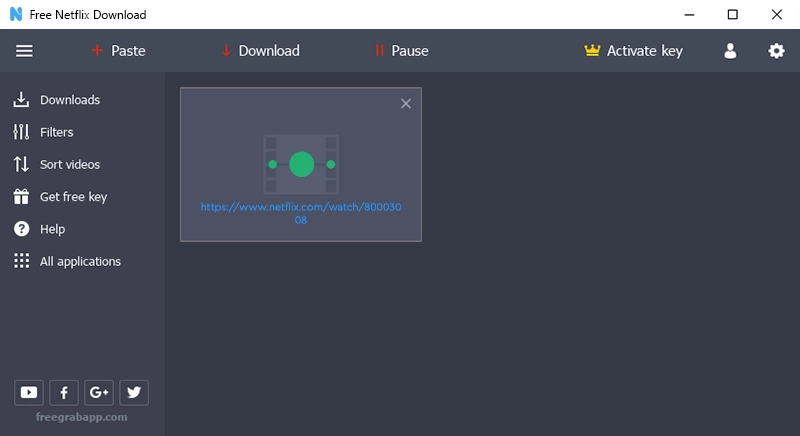
Top 14. FreeGrabApp Netflix Downloader
FreeGrabApp Netflix Downloader is unlike the best Netflix video downloaders mentioned above. You need to download the APK file on your Windows PC. It allows you to download Netflix videos by simply copying and pasting the video URL. In addition, it also provides basic options for choosing audio tracks and subtitles.
Overall, FreeGrabApp Netflix Downloader breaks the Netflix download limits and enables you to watch Netflix videos on your PC offline. However, real Netflix to MP4 downloaders like iMovieTool Netflix Video Downloader are highly recommended when it comes to permanently saving high-quailty Netflix videos on your Windows and Mac computers.
🙆Pros:
Easy to use without any computer skills.
It offers a simple and user-friendly interface.
Simple copy and paste to download video.
Download up to 10 Netflix video titles in bulk.
🙅Cons:
Only works on Windows OS.
Requires to install an APK file first.
Very basic output parameters.
The output quality is not good as original.
🧐Review: An easy-to-use Netflix downloader for Windows users. 💰Price: US$19.99/year for 1 PC 🖥️Supported OS: Windows 7 SP1 and later ✨Rating: ⭐⭐
Top 15. PlayOn
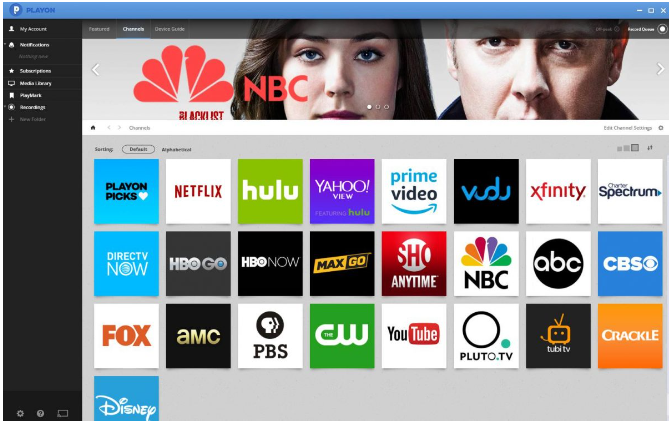
PlayOn is a multifunctional streaming video reccorder for recording movies and shows from popular sites like Netflix, Hulu, Prime Video, Disney+, VUDU, tubi, and more. It can help you records your favorite Netflix videos to MP4 files with resolution up to 720p. During the recording process, you can use your computer normally as it records in the background. Compared to the advanced UkeySoft Screen Recorder with free built-in editor, PlayOn only provides limited recording function.
🙆Pros:
Supports popular streaming video sites.
Record Netflix movies and TV shows.
Record Netflix videos with 720p quality.
Record Netflix videos in the background.
🙅Cons:
Slow recording speed.
Batch mode is not supported.
Can't keep multi-language subtitles and audio track.
During the recording, you need to play the video at the same time.
🧐Review: A multifunctional streaming video recorder. 💰Price: Starts at $ 19.98/month 🖥️Supported OS: Windows OS, macOS ✨Rating: ⭐⭐
Top 16. NetflixDownload - Online Website
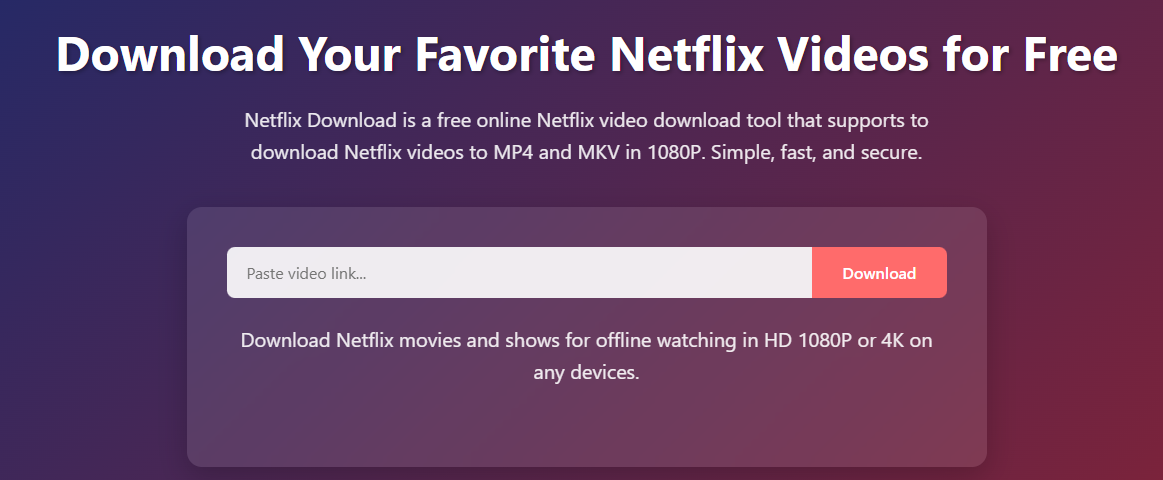
For those who don't want to install extra third-party software or app, try this online Netflix video downloader. NetflixDownload is a clean and ad-free web page focused on Netflix movies and shows downloading. With this online Netflix downloader, you can get Netflix downloads in MP4 or MKV formats.
Compared to above desktop Netflix downloader software that require to register an account and log in to use, this online website is quite easy to use. You simply need to navigate to this website and paste the URL or the Netflix video that you copy from the app or web browser, then you can extract and download video from Netflix to your local folder. But, it doesn't support batch downloads. If it failed, you can turn to the professional software - iMovieTool Netflix Video Downloader.
🙆Pros:
No software installation required, web-based.
No registration required, free to use.
Supports multiple formats: MP4, MKV.
Supports parsing links for Netflix movies, shows.
Available on computer and mobile browsers.
🙅Cons:
Slow speed than desktop software.
It can't download Netflix videos in batch.
Homepage tool supports single videos only.
🧐Review: An online Netflix downloader to download Netflix videos without installation and registration. 💰Price: Free 🖥️Supported OS: Web-based ✨Rating: ⭐⭐⭐
Top 17. NetflDownloader - Free Tool
The final recommendation on this best Netflix video downloader review refers to the NetflDownloader. It is a free website to download video from Netflix for free. Open a browser on Windows, and you can download your favorite Netflix video to your Windows PC or laptop and enjoy offline viewing.
However, based on my testing, it is not completely free to use. When you click the Download button, it will redirect you to another page that includes a paid third-party software. Otherwise, the page may get stuck. Moreover, it may not be able to download certain Netflix videos, such as those that are protected by DRM. For a more secure and stable experience, you can consider using TunesBank iMovieTool Netflix Video Downloader to do more with less.
🙆Pros:
Simple to operate.
Intuitive user interface.
Save video metadata info.
🙅Cons:
Low success rate.
Only supports Windows OS.
Limited to single-video downloads.
Potential security risks from unknown buttons.
🧐Review: A free Netflix downloader to download videos from Netflix for free. 💰Price: Free 🖥️Supported OS: Windows ✨Rating: ⭐⭐
How to Download Netflix Videos to MP4 with the Best Netflix Video Downloader?
Now you've probably figured out the main features of these Netflix video downloaders. In this part, we will take iMovieTool Netflix Video Downloader as an example, and show you the detailed guide to use it to download Netflix videos to MP4 on PC.
Step 1. Sign in to Netflix Account
First, download the latest version of iMovieTool Netflix Video Downloader. Install and launch it on your computer. Select Netflix service. If this is your first time login, you need to sign in with your Netflix account to access its content library.
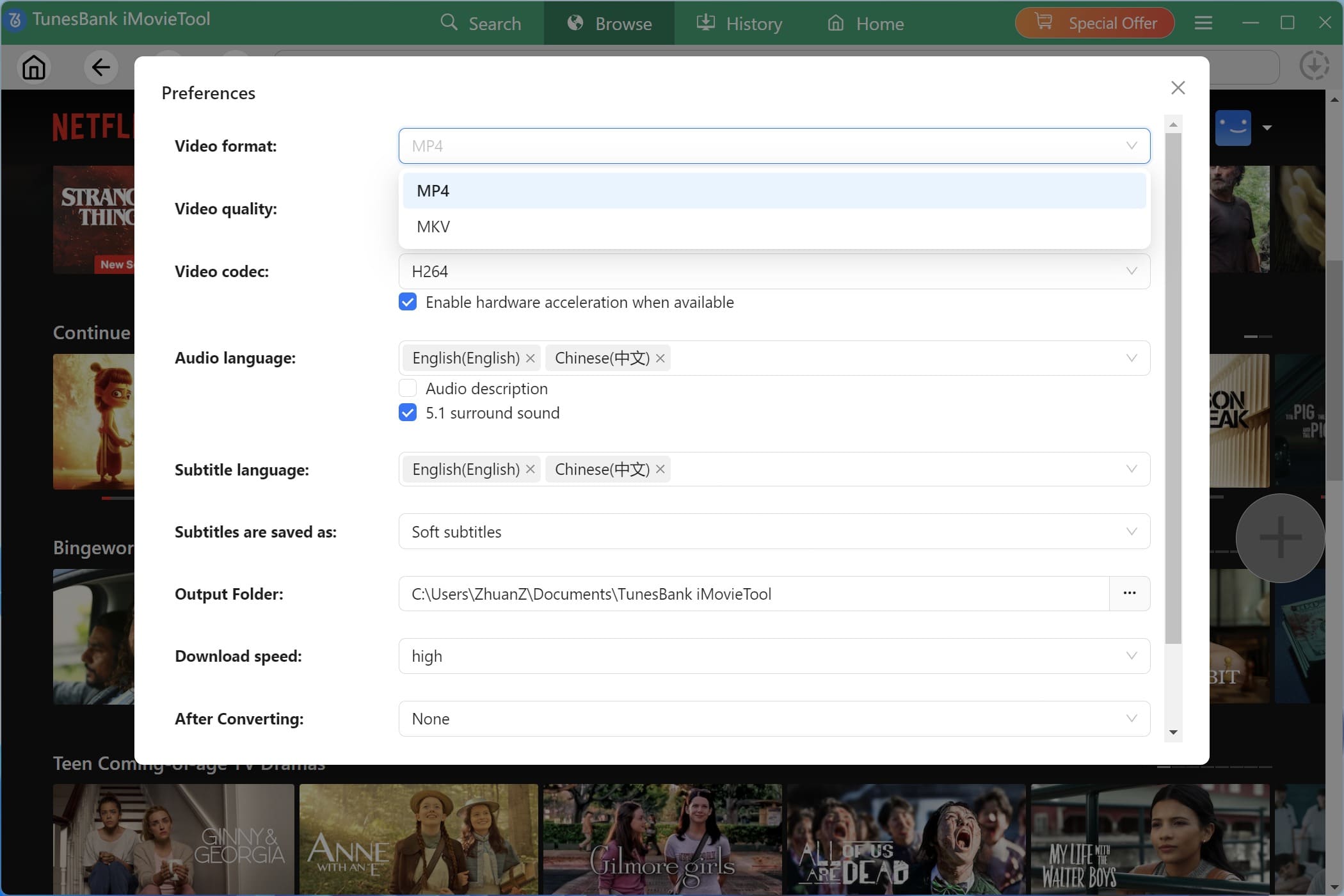
Step 3. Customize the Output Settings
Click the "Gear" icon on the upper right corner to open the settings window. From where you can configure the output video parameters based on your preferences, including the video format, video quality, output folder, audio languages, subtitles languages, download speed, etc.
Step 3. Search for Netflix Videos in 3 Ways
With the built-in browser on iMovieTool Netflix Video Downloader, you have three ways to locate your favorite Netflix videos and add them to the download queue.
1#. Go to the "Browse" tab, you can visit the whole video library and access any content online.
Select the movie or show you like, and open it, click the "+" icon in the right side.
Then, it will pop up a small window. Click the "Download" icon to start downloading the video from Netflix web browser.
2#. Switch to the "Search" tab, you can type the video name in the search field for fuzzy search.
3#. Another way is to copy and paste the video URL from Netflix app/website to iMovieTool's search field for precise search.
Step 4. Start Downloading Netflix Videos to PC
Once all setting is done, simply press on the "Download" icon next to the title. iMovieTool will immediately begin to download the movie from Netflix to your computer folder.
For TV shows, you need to select your target seasons and episodes, then press on "Download" to go on.
Step 5. Get Downloaded Netflix Videos
When the download is finished, go to "History" section to browse the downloaded Netflix videos. You can now watch those high-quality Netflix videos with local media player without network!
Comparison of these 17 Best Netflix Video Downloaders
Finding a suitable video downloader for Netflix is a time-consuming process. After a detailed review, we will evaluate the best Netflix downloader from seven aspects, namely ability, output format, download speed, efficiency, subtitle, compability and price based on our test.
Pro Tricks for Choosing a Netflix Video Downloader
Ability: Get around Netflix download limits.
Quality: Download Netflix movies with HD quality.
Output Format: It should offers multiple output formats to be competible your devices.
Efficiency: Download Netflix video to Mac/Windows at a fast speed, saving your time.
Subtitle and Audio: Preserve multilingual audio and subtitles of original videos.
Compatibility: Support your operating system to get the job done smoothly.
Price: Reasonable price and considerate after-sales service to meet your needs.
Here's a comparison chart of the 17 best Netflix video downloaders. You can take a look.
Name
Output Format
Output Quality
Built-in Netflix Browser
Multilingual Audio and subtitles
Batch Download
Speed
Supported OS
Price
iMovieTool Netflix Video Downloader
MP4, MKV
HD 1080P, 720P
✔️
✔️
✔️
50X super faster
Windows OS, mac OS
$15.95/month
TunesBank iMovieTool Video Downloader
MP4, MKV
HD 1080P, 720P
✔️
✔️
✔️
50X super faster
Windows OS, mac OS
$49.95/month
TunePat Netflix Video Downloader
MP4, MKV
HD 1080P, 720P
✔️
✔️
✔️
Medium
Windows OS, mac OS
$49.95/year
MovPilot Netflix Video Downloader
MP4, MKV
HD 1080P, 720P
✔️
✔️
✔️
Medium
Windows OS, mac OS
$15.95/month
NoteBurner Netflix Downloader
MP4, MKV
HD
✔️
✔️
✔️
Slow
Windows OS, mac OS
$89.90/year
StreamFab Netflix Downloader
MP4, MKV
HD
❌
✔️
✔️
Medium
Windows OS, mac OS
$39.99/month
4kFinder Video Downloader
MP3, M4A, AAC, WAV, FLAC, AIFF
SD, HD, 4K, 8K
❌
❌
✔️
6X fast
Windows OS, mac OS
$14.95/month
Tunelf Netflix Video Downloader
MP4, MKV
SD, HD
✔️
✔️
✔️
Slow
Windows OS, mac OS
$19.95/month
Y2Mate Netflix Video Downloader
MP4, MKV
HD
❌
✔️
✔️
Slow
Windows OS, mac OS
$25.9/month
Kigo Netflix Video Downloader
MP4, MKV
HD
✔️
✔️
✔️
Slow
Windows OS, mac OS
$16.95/month
FlixiCam Netflix Video Downloader
MP4, MKV
HD
✔️
✔️
✔️
Medium
Windows OS, mac OS
$49.95/year
UkeySoft Screen Recorder
MP4, MOV, M4V, FLV, AVI
SD, HD
❌
❌
❌
Slow
Windows OS, mac OS
$14.95/year
FlixGrab+ Netflix Video Downloader
Local format
SD, HD
❌
❌
✔️
Slow
Windows OS only
$12.99/month
FreeGrabApp Netflix Downloader
MP4
SD, HD
❌
✔️
✔️
Slow
Windows OS only
$19.99/year
PlayOn
MP4
SD, HD
❌
❌
❌
Slow
Windows OS, mac OS
$19.98/month
NetflixDownload
MP4, MKV
HD
❌
✔️
❌
Slow
Web-based
Free
NetflDownloader
MP4
SD
❌
❌
❌
Slow
Windows
Limited free functions.
FAQs about Netflix Video Downloaders
Q1: Are Netflix downloaders legal?
A1: According to Netflix's strict terms of use, it prohibits the unauthorized downloading and distribution of their content for business. But if just download Netflix videos for personal watching/entertainment, then it is legal.
Q2: Is there a Netflix Downloader that rips entire Netflix shows in Japanese?
A2: Yes. Most Netflix downloaders support batch download mode, such as the iMovieTool Netflix Video Downloader. You can select your desired episodes and seasons and download them in bulk. In addition, it offers multiple language options to download Netflix videos, including Japanese.
Q3: How can I download Netflix movies for free on Android?
A3: As of now, there is no Netflix downloader available for Android devices. To save Netflix movies for free, you can consider screen recording Netflix on Android.
Q4: How to download videos from Netflix for free?
A4: You can consider using a free Netflix downloader if you don't mind the security, video quality, inserted ads and other plug-ins. To get a better experience, we recommend that you try a professional Netflix video downloader software.
Q5: How do I put Netflix on a USB stick?
A5: By downloading Netflix videos as MP4 files, you can then insert a USB disk to your computer. Copy and paste the MP4 Netflix files to the USB.
Conclusion
Netflix has a large abundance of video resource library, but we cannot ignore its download limits and playback restrictions. Using a Netflix downloader to download Netflix videos to local computer definitely helps facilitate the playback experience. Now you have got the 17 best recommended Netflix video downloaders for Mac and Windows computer.
Among them, iMovieTool Netflix Video Downloader is the most recommended one for its more affordable price, outstanding features and perfect performance. Just compare them and select the best one to start your Netflix downloads and enjoy a smoother and more enjoyable Netflix shows and movies playback journey!






No comment yet. Say something...